
Organize authorized links
Import links from your own store or product pages you are expressly authorized to process.
 Windows desktop app · E-commerce image and video batch download
Batch-download and edit product media you are allowed to use
Import Taobao and other product links from your own store or expressly authorized pages, then review and batch-download main, SKU, detail images and videos.
From CNY 39.9/monthLive purchase page · verified 2026-08-01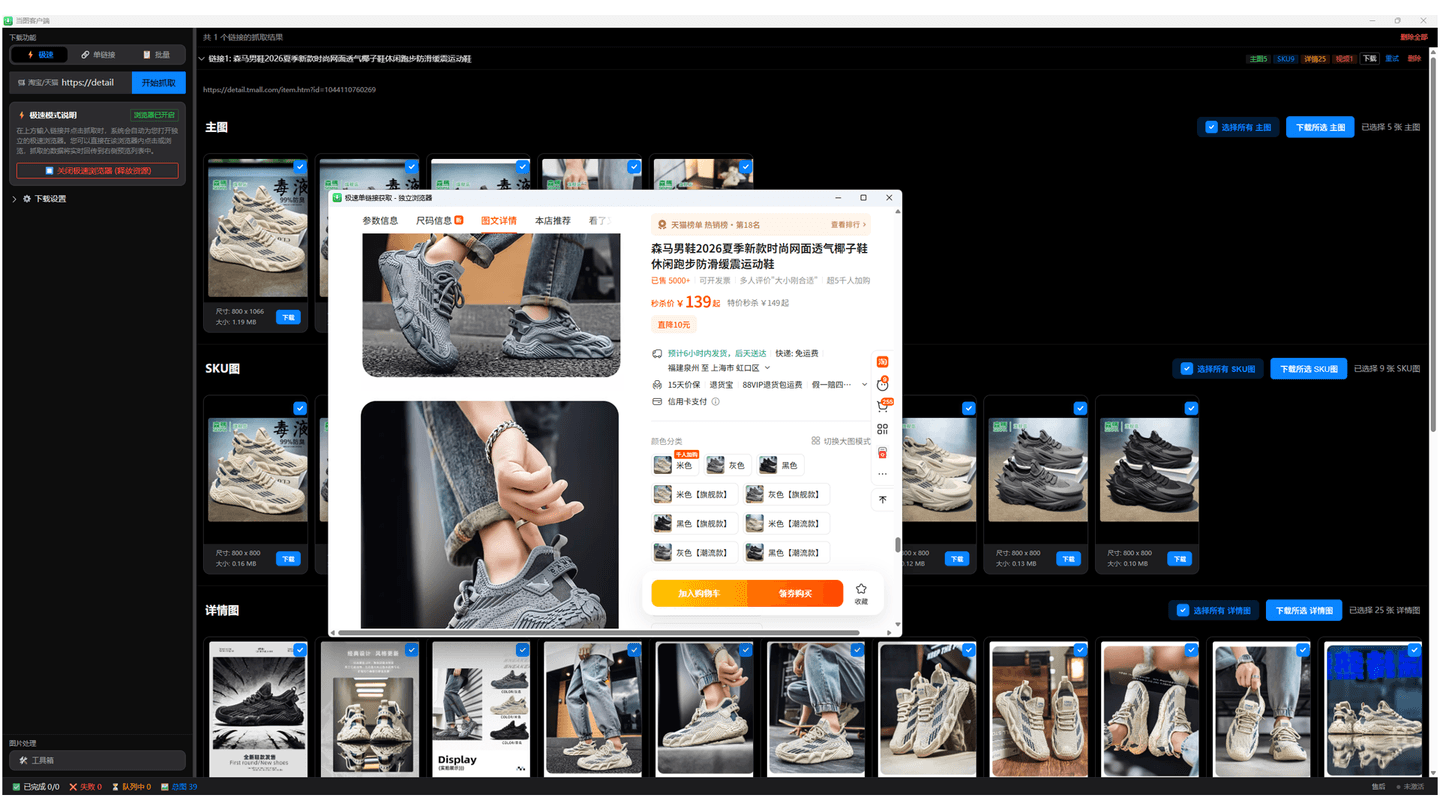
Dangtu Client can organize media from your own store or product pages you are expressly authorized to process. Review main, SKU, and detail images plus video, then resize, convert, compress, or rename downloaded images within the authorized scope and applicable platform rules.
Import links from your own store or product pages you are expressly authorized to process.
Review media from several authorized pages in one place.
See main images, SKU images, detail images, and videos before selecting files.
Convert formats, resize, compress, or rename groups of images.
Batch-download and organize product media from your own store or authorized pages, then edit images in batches.
Answers about downloads, installation, supported platforms, and everyday use.
Use the extension for one or a few authorized product pages. Use Dangtu Client to organize authorized media or edit images in batches.
The installer listed by this site supports Windows 10 and Windows 11.
Yes, but only for your own store or URLs expressly authorized by the rights holder and relevant platform. Stop when a site presents verification, rate limits, or another security warning.
Use the download channel listed by this product center.
Choose a complementary tool when your content or task size changes.

Open a Taobao or other product page from your own store or an expressly authorized page, then batch-select and save media you have the right to use.

Batch-find, filter, and save images, video, and audio from pages where you have lawful permission, including authorized product pages.

Turn the current page, any URL, or text into a QR code, customize colors and logos, create batches, and scan codes from images.
Download Dangtu Client from a channel listed by this site or Microsoft Store and check system, pricing, and first-run details.
View details Dangtu Client · How to useOrganize links from your own store or expressly authorized product pages and review main, SKU, and detail images plus video.
View details Dangtu Client · TroubleshootingTroubleshoot Dangtu Client by checking URL detection, sign-in, verification, queue, missing results, and file downloads in order.
View details