
Add a product URL only when it belongs to your own store or you have express authorization from the rights holder and relevant platform.
Verify authorization before preparing URLs
Keep only pages from your own store or pages expressly authorized by the rights holder and relevant platform. Preserve proof of source, scope, and duration.
- Verify the rights and platform permission for each URL.
- Place one authorized URL on each line.
- Remove anything outside the authorization scope.
- Choose a local download location.
Verify platform detection in Batch mode
Paste or import the URLs, review platform grouping, and fix unrecognized or incorrect page types before adding the list to the queue.
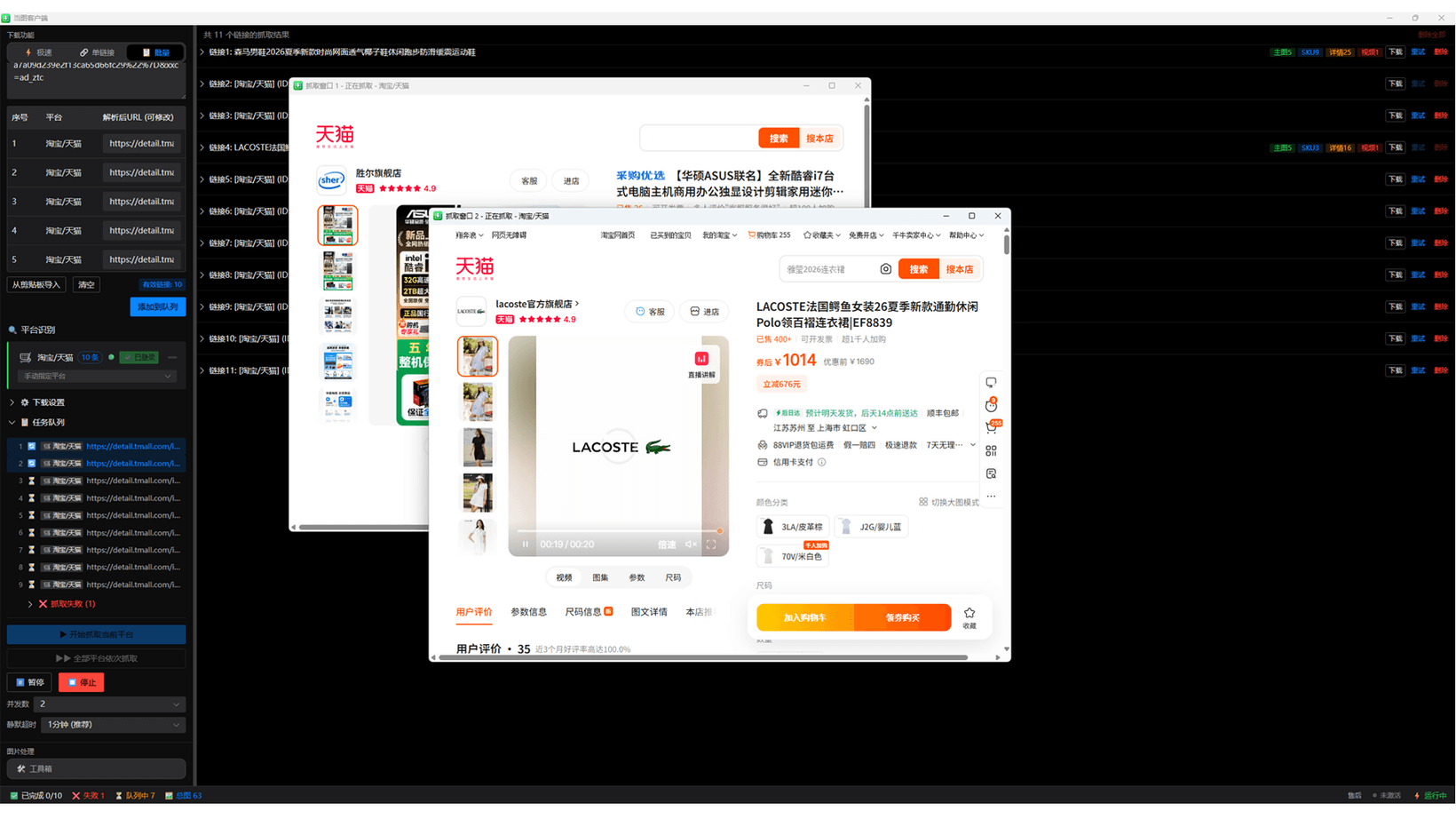
Run the queue and handle sign-in prompts
Set a reasonable concurrency and interval. Complete normal sign-in or verification prompts when a page requires them, then allow the queue to continue.
- Review the queue and platforms.
- Set the download location and task pace.
- Watch completed, failed, and queued counts.
- Respond to normal page prompts when needed.
Review each media category
Check the product title and source before selecting main, SKU, detail images, or video. Download only what you need and verify resolution and file integrity afterward.
Handle failed items by cause
Check authorization, page state, and platform permission first. Stop on sign-in restrictions, verification, or security warnings. If compliant use still fails, provide the app version, platform, and visible error when contacting support.
Continue with Dangtu Client
Import Taobao and other product links from your own store or expressly authorized pages, then review and batch-download main, SKU, detail images and videos.
View download guidance and current pricingRelated guides
Dangtu Client Troubleshooting: URLs, Sign-in, Verification, and Downloads
Troubleshoot Dangtu Client by checking URL detection, sign-in, verification, queue, missing results, and file downloads in order.
View detailsHow to useDangtu Client Batch Image Editing: Resize, Compress, Convert, and Rename
Batch-convert JPG, PNG, and WebP, resize images, target file sizes, apply commerce ratios, and rename exports in Dangtu Client.
View detailsDownloadDangtu Client Download and Installation for Windows
Download Dangtu Client from a channel listed by this site or Microsoft Store and check system, pricing, and first-run details.
View details