
Combine format, dimension, file-size, naming, and commerce-ratio rules for a batch of images, then preview before export.
Keep originals and add a focused batch
Keep a copy of the original files and group images with the same purpose. Main images, long detail images, and transparent PNG files often need different rules.
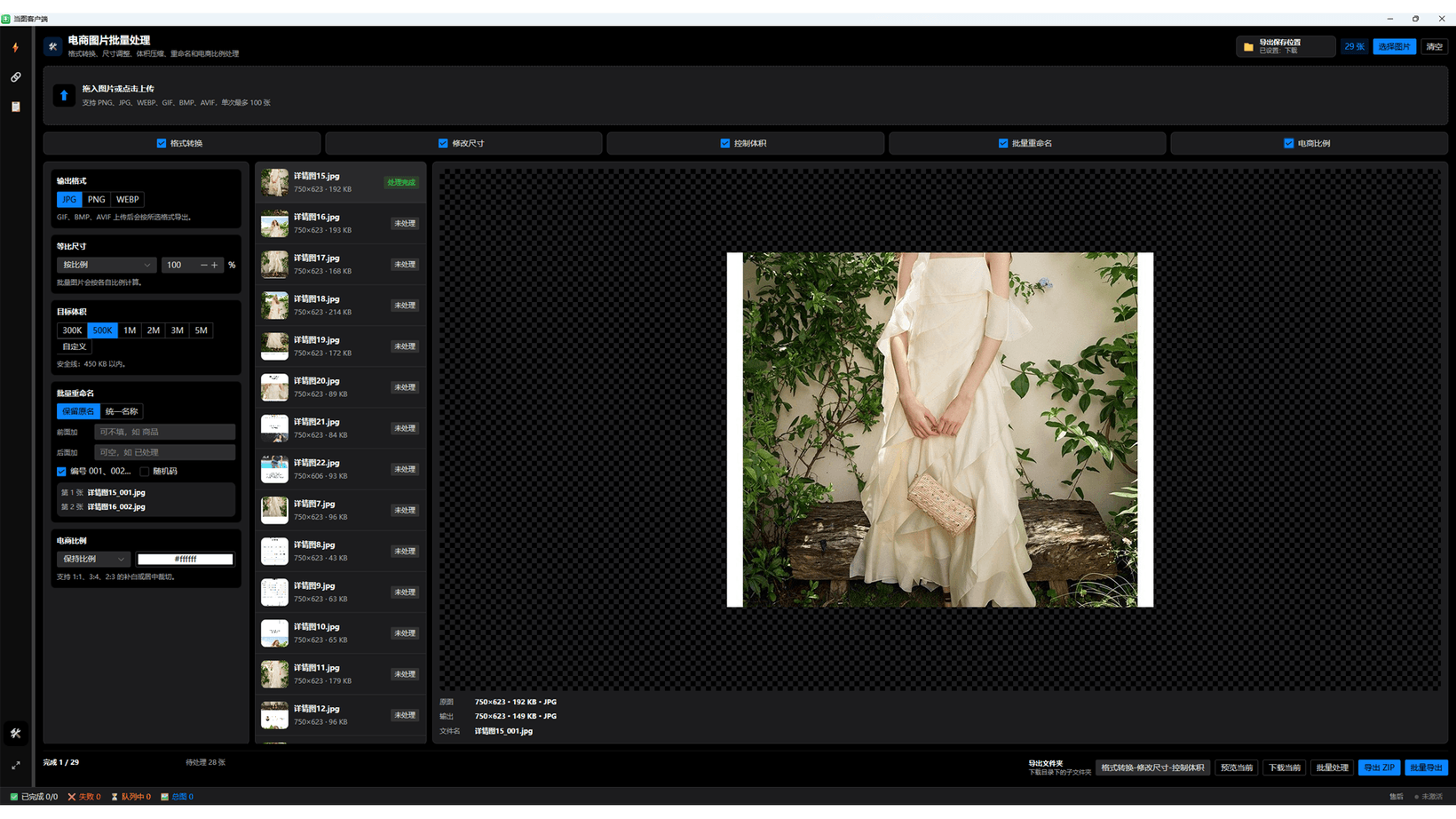
Choose JPG, PNG, or WebP
Use JPG for smaller files without transparency, PNG for transparency or lossless needs, and WebP where the destination supports it. Preview transparent images and animated GIF inputs before applying a batch.
- Enable format conversion.
- Choose JPG, PNG, or WebP.
- Inspect transparency, text edges, and color.
- Apply the rule to the full batch only after checking samples.
Set proportional dimensions and commerce ratios
Resize by percentage, width, height, or maximum edge. Use padded or center-cropped 1:1, 3:4, and 2:3 ratios when a marketplace layout requires a consistent canvas.
Balance target file size and quality
Smaller targets usually require lower quality or dimensions. PNG may not reach a very small target; use JPG or WebP, or reduce dimensions, then inspect texture and text at full size.
Rename, preview, and export
Keep original names or set a common base name with prefixes, suffixes, sequential numbers, or random codes. Preview a small batch, then export a ZIP or folder and verify format, pixels, size, ratio, and names.
Continue with Dangtu Client
Import Taobao and other product links from your own store or expressly authorized pages, then review and batch-download main, SKU, detail images and videos.
View download guidance and current pricingRelated guides
Dangtu Client Guide: Organize Authorized Product Media
Organize links from your own store or expressly authorized product pages and review main, SKU, and detail images plus video.
View detailsTroubleshootingDangtu Client Troubleshooting: URLs, Sign-in, Verification, and Downloads
Troubleshoot Dangtu Client by checking URL detection, sign-in, verification, queue, missing results, and file downloads in order.
View detailsDownloadDangtu Client Download and Installation for Windows
Download Dangtu Client from a channel listed by this site or Microsoft Store and check system, pricing, and first-run details.
View details