
Identify whether a failure happened during URL entry, page loading, media discovery, or file saving, then retry only the affected stage.
Identify the failed stage
Use the queue and status bar to separate page extraction failures from partial file-download failures. A removed page or sign-in redirect will not recover through blind retries.
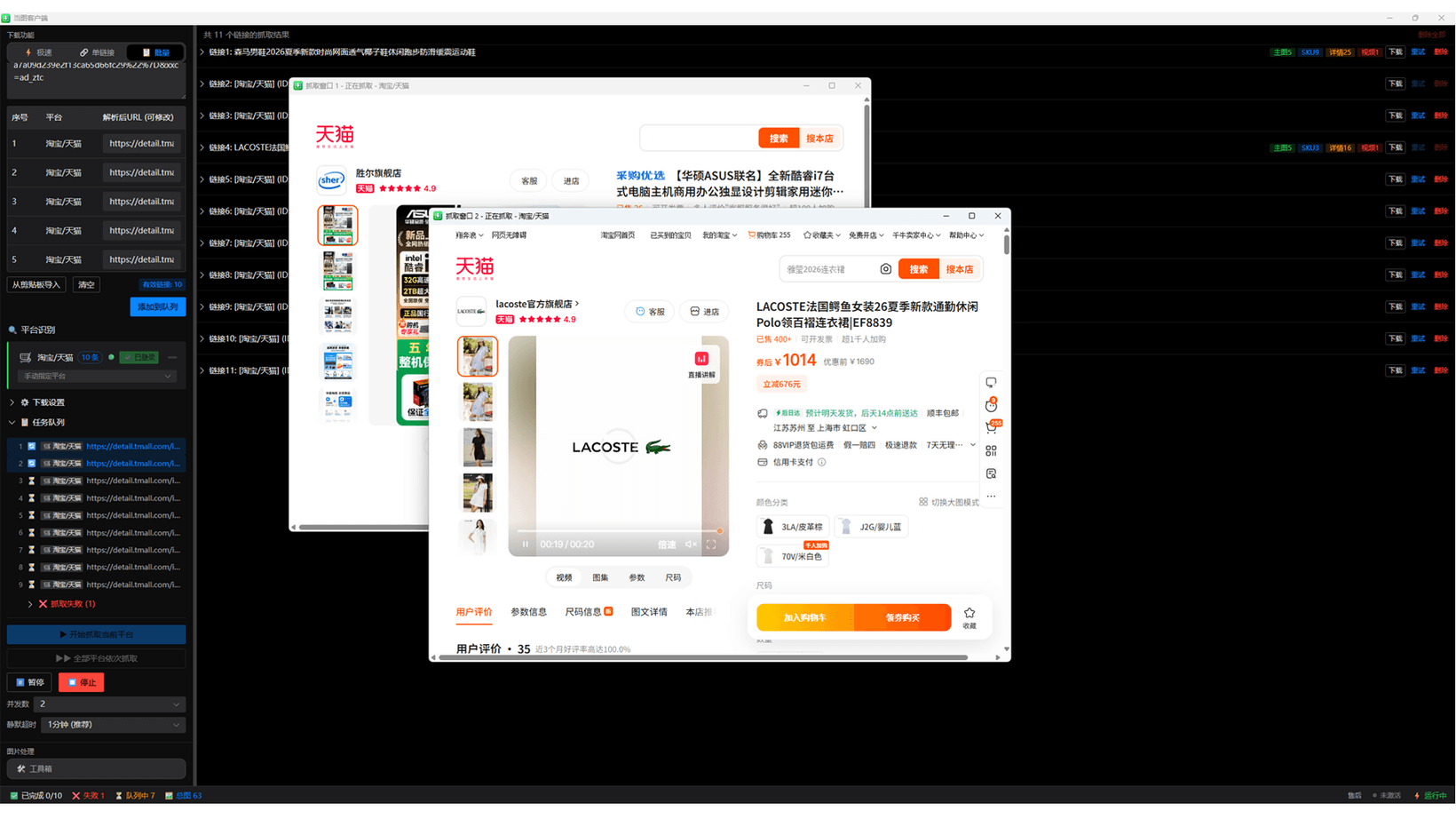
Fix unrecognized URLs
Use a complete URL that opens a specific product detail page. Remove search pages, redirect intermediates, truncated addresses, and surrounding notes.
- Open the URL in a normal browser.
- Copy the complete address again.
- Test one URL in Single mode.
- Record the domain and page type if detection still fails.
Complete normal sign-in and verification
Use the sign-in entry shown by the client. Complete normal verification yourself and reduce task pace when a site applies access controls. Never share passwords, cookies, or verification codes.
Lower concurrency and retry failed items only
Reduce concurrency, increase the interval, and test a small set when failures repeat. Keep successful results and requeue only the failed URLs.
Check missing media categories
Not every product has SKU images, detail video, or a separate detail section. If several normal pages on one platform lose the same category, record the app version, category, time, and a public example for support.
Troubleshoot file downloads
Verify the folder, Windows write permission, disk space, network, and security software. Retry partial downloads from the result area and allow more time for large videos.
Share support details safely
Provide the app and Windows versions, platform, page type, time, and full visible error. Do not send passwords, cookies, payment data, private orders, or personal screenshots.
Continue with Dangtu Client
Import Taobao and other product links from your own store or expressly authorized pages, then review and batch-download main, SKU, detail images and videos.
View download guidance and current pricingRelated guides
Dangtu Client Guide: Organize Authorized Product Media
Organize links from your own store or expressly authorized product pages and review main, SKU, and detail images plus video.
View detailsDownloadDangtu Client Download and Installation for Windows
Download Dangtu Client from a channel listed by this site or Microsoft Store and check system, pricing, and first-run details.
View detailsHow to useDangtu Client Batch Image Editing: Resize, Compress, Convert, and Rename
Batch-convert JPG, PNG, and WebP, resize images, target file sizes, apply commerce ratios, and rename exports in Dangtu Client.
View details