One-click tab stashing
Stash all tabs in the current window with one click, or stash selected tabs.
 Free browser extension · Tab stasher and restorer
Stash open tabs with one click and save up to 95% memory
Stash all open tabs in the current window into an organized list with one click. Restore all or selected tabs instantly to browse with focus and save memory.
 Chrome / Chromium
 360 Secure Browser
 360 Extreme Browser
 Sogou Browser
 Quark Browser
 QQ Browser
 Edge
Edge Firefox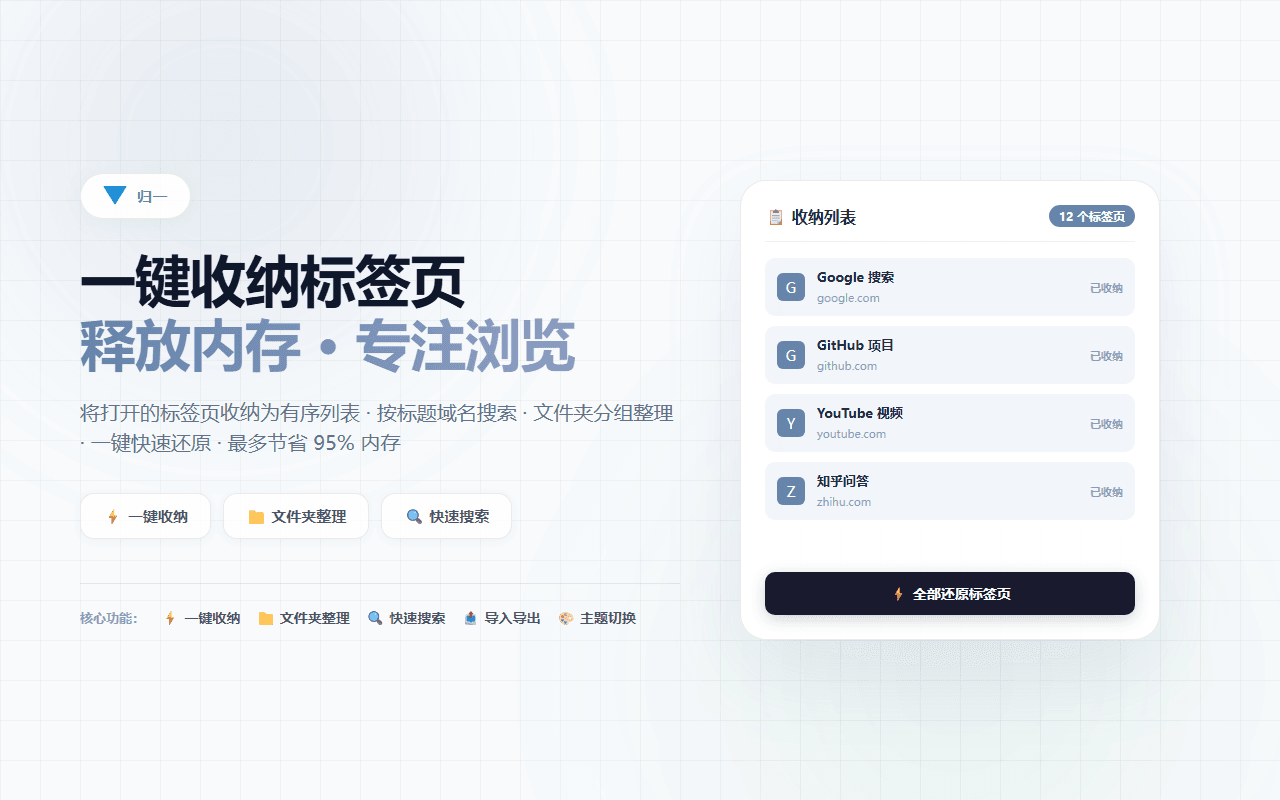
UniTab helps you stash all open tabs in the current window into a clean, organized list with a single click. Restore all tabs at once or selectively when you need them, search stashed tabs by title or domain, organize them with folders and groups, and lock important groups to prevent accidental deletion. Tab data remains in local browser storage with no account required, no analytics SDK, telemetry, or behavioral tracking code.
Stash all tabs in the current window with one click, or stash selected tabs.
Quickly search stashed tabs by title or domain.
Organize tabs with folders and groups, and lock important groups to prevent accidental deletion.
Restore all stashed tabs at once or selectively restore chosen tabs.
Import and export tab lists as HTML or plain text, with bookmark import support.
Share tab groups as web pages, privately or publicly with others.
Access frequently used tabs via the quick list in the popup, with configurable shortcuts, context menu, and auto-open behavior.
Toggle dark or light theme, with auto-follow system option.
UniTab turns open tabs into a clean, searchable list that you can restore instantly, helping you free up memory and browse with focus.
Click the toolbar icon or use a keyboard shortcut to stash all tabs in the current window.
Search stashed tabs by title or domain, and organize them with folders and groups.
Lock important tab groups to prevent accidental deletion.
Restore all stashed tabs at once or selectively restore chosen tabs.
Tab data stays in local browser storage with no account required, no analytics SDK, telemetry, or behavioral tracking code.
The stashed tab list is stored in local browser storage.
Tab data is never uploaded to any server; no analytics SDK or telemetry.
Remote configuration adjusts data for reviewed features only and never downloads or executes remote code.
Promotional links in the popup are clearly labeled; tab data is not used for ad analysis.
For users with many open tabs who want to free up memory and browse with focus, and anyone who needs to organize, search, and restore tab groups.
Answers about downloads, installation, supported platforms, and everyday use.
Yes. The UniTab browser extension is free to download and use.
Built-in features are for quick temporary access. UniTab provides a fuller workflow: one-click stashing, search, folder organization, group locking, import and export, sharing, and a quick list.
This site lists packages for Chrome, Edge, and Firefox. Chrome users can also install directly from the Chrome Web Store. The Chrome package also supports the compatible Chromium-based browsers listed on this page.
No. Tab data stays in local browser storage with no account required, no analytics SDK, telemetry, or behavioral tracking code. Remote configuration adjusts data for reviewed features only and never downloads or executes remote code.
This extension has joined the Affiliate Program. The popup displays clearly labeled promotional links and product rankings. When you click a promotional link and complete a purchase, this project may earn a commission to support ongoing development. Promotional content never affects your experience, and tab data is not collected, uploaded, or tracked for ad analysis.
Yes. UniTab supports importing tabs from browser bookmarks, and you can import and export tab lists as HTML or plain text.
Choose a complementary tool when your content or task size changes.

Import Taobao and other product links from your own store or expressly authorized pages, then review and batch-download main, SKU, detail images and videos.
Open a Taobao or other product page from your own store or an expressly authorized page, then batch-select and save media you have the right to use.

Batch-find, filter, and save images, video, and audio from pages where you have lawful permission, including authorized product pages.